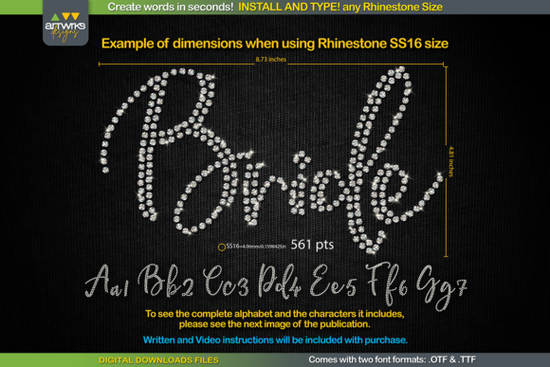
If you've ever spent hours arranging rhinestones one by one on a design, you know how tedious it gets. The RS01 Cursiva Rhinestone Template TTF Font fixes that. You install the font, type any word, and the letters automatically fill with perfectly arranged rhinestone patterns. No manual circle placement, no complicated software steps just type and cut.
This is a digital download font that works with Cricut Design Space, Silhouette Studio, Inkscape, Illustrator, and other common design programs. It comes in both .TTF and .OTF formats, so compatibility across Windows, Mac, iPad, and iPhone isn't an issue.
How Does a Rhinestone Template Font Work?
A rhinestone template font isn't like a regular decorative typeface. Each character is built as a pattern of circles that represent where rhinestones should sit. When you type a word, the letters fill in automatically with the correct arrangement. Every circle is trapped and ready for your cutting machine.
There's no need to draw individual circles or arrange patterns letter by letter. You type your message, pick the right font size for your rhinestone size, and send the design to your cutter.
What Rhinestone Sizes Can I Use?
This font supports multiple rhinestone sizes. You just need to set the correct font point size:
- SS6 rhinestones: 359 pt
- SS10 rhinestones: 456 pt
- SS16 rhinestones: 561 pt
- SS20 rhinestones: 738 pt
Having these exact measurements removes the guesswork, which matters a lot when you're working on bulk orders or time-sensitive projects.
What Can I Make With This Font?
The cursive style of this rhinestone template font works well for a range of projects:
- Rhinestone T-shirts and apparel
- Heat transfer vinyl (HTV) designs
- Custom gifts and personalized items
- Bridal party and dance team apparel
- Print-on-demand product listings
If you sell custom apparel or run a small crafting business, a reliable rhinestone font can save you hours of design time each week.
Does It Work With Cricut Design Space?
Yes, but there's a recent quirk worth knowing about. Cricut Design Space has had trouble maintaining the recommended font sizes for different rhinestone dimensions. The product download includes instructions on how to adjust the font size manually within Cricut to get the correct output. Follow those steps carefully to make sure your template cuts at the right scale.
For Silhouette Studio users, the font works without this extra workaround.
How Do I Install the Font?
- Close your design program first.
- Unzip the downloaded file.
- Open the .TTF file and click Install (or right-click and select "Install for all users").
- Reopen your design program.
- Type your word and select the RS01 Cursiva font.
- Set the font point size based on your rhinestone size.
- Send the design to your cutting machine.
From download to finished template, the whole process takes under five minutes.
Pairing This Font With Other Script Styles
If you mix rhinestone designs with regular vinyl or print projects, pairing fonts can make your work stand out. A clean script like Kayla complements rhinestone layouts nicely for secondary text. For elegant, formal designs, Samantha Calligraphy brings a refined touch. If you want something playful and casual, Sweetylike is a fun option. For bold contrast alongside cursive rhinestone lettering, Montserrat works well as a supporting typeface. And for holiday or seasonal projects, Snowlet adds a whimsical character that fits winter themes perfectly.
Who Is This Font Best For?
- Crafters who want rhinestone projects without learning complex design tools
- Small business owners selling custom rhinestone apparel
- Print-on-demand sellers expanding their product range
- Event planners making personalized designs for weddings, birthdays, or dance teams
If you can type text in a design program, you can use this font. No advanced skills needed.
Before You Start Quick Checklist
- ✅ Download and unzip the font file
- ✅ Install both the .TTF and .OTF versions
- ✅ Note the correct font size for your rhinestone size (SS6, SS10, SS16, or SS20)
- ✅ Read the included instructions if you're using Cricut Design Space
- ✅ Test with a short word before committing to a full project
Grab the RS01 Cursiva Rhinestone Template TTF Font and start creating rhinestone designs in minutes. You can also browse more rhinestone fonts on Creative Fabrica to expand your template library.
Download Now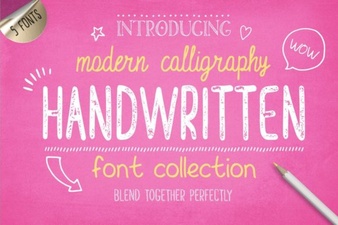 Beautiful Handwritten Font Collection for Creative Designers
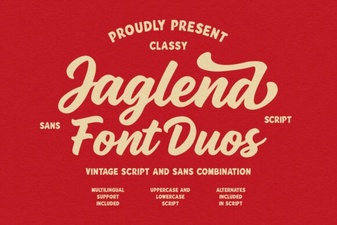 Jaglend Font Duo: Versatile Design Solutions
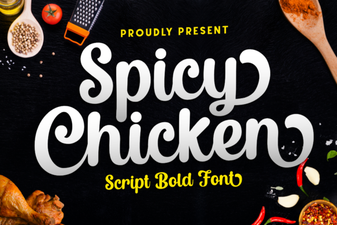 Bold and Playful Spicy Chicken Font for Creative Projects
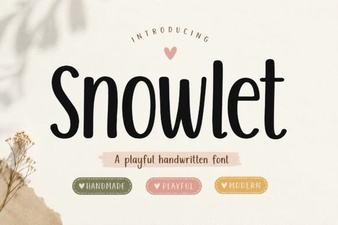 Snowlet Font: a Playful Display Typeface for Creative Projects
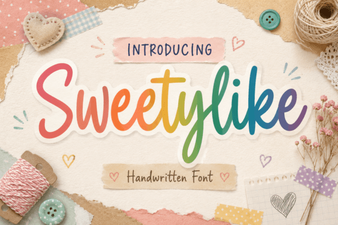 Sweetylike Font: Sweet and Playful Typography for Creative Projects
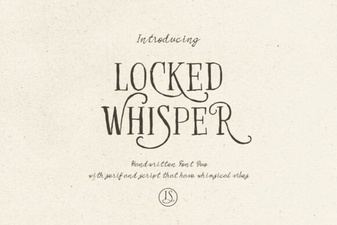 Locked Whisper Font: Elegant Typography for Creative Projects