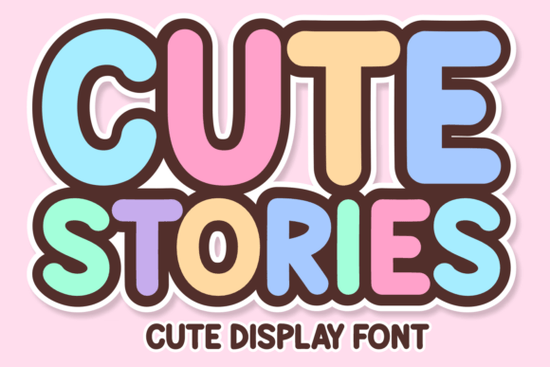
Cute Stories Font is a bold, playful display typeface with a retro twist. It combines bubble letters, groovy 70s-inspired curves, and a Bohemian feel that works beautifully for children's designs, stickers, digital planners, and casual branding projects. If you've been searching for a fun, eye-catching font that still reads clearly at a glance, this one delivers on both style and usability.
What Does Cute Stories Font Look Like?
Think candy store signs, vintage soda labels, and old-school summer posters. Cute Stories draws from retro typography and bold, psychedelic letterforms to create something that feels both nostalgic and fresh. The letters are chunky and rounded, with a wavy energy that gives each word personality. It's the kind of font that makes a sticker, poster, or thumbnail pop without overwhelming the rest of your design.
At the same time, it avoids being overly cartoonish. The clean curves and balanced spacing keep it readable, which is especially important for product packaging, app interfaces, and anything where text needs to work at smaller sizes.
Where Can You Use This Font?
This is a versatile display font that fits a wide range of creative projects. Here are some popular uses:
- Children's books and products – Its rounded, friendly shapes appeal to younger audiences.
- YouTube thumbnails and social media graphics – Bold enough to stand out in a busy feed.
- Stickers and printable planners – Available in SVG and PNG for easy drag-and-drop use.
- T-shirt and print-on-demand designs – The retro vibe works well for trendy apparel.
- Logo and branding projects – Especially for small businesses with a playful, casual identity.
- Digital planners and scrapbooking – Adds charm without sacrificing clarity.
Whether you sell on Etsy, run a Shopify store, or create designs for fun, this font adapts well to both digital and print formats.
What File Formats Are Included?
One of the strengths of Cute Stories is its range of file options. You get:
- OTF and TTF – Standard desktop font files for use in design software like Photoshop, Illustrator, and Canva.
- SVG – Great for cutting machines like Cricut and Silhouette.
- PNG – Transparent background letter images for quick layering.
- Procreate brush files – For iPad designers who prefer working in Procreate.
This makes it a practical choice for crafters who switch between desktop and tablet workflows. You don't need to convert or trace anything the files are ready to use out of the box.
Does It Support Multiple Languages?
Yes. Cute Stories includes multi-lingual support, which means you can use accented characters and special letters for languages beyond English. This is helpful if you sell internationally or create designs for multilingual audiences. Not every display font includes this, so it's a real plus if you need that flexibility.
How Does It Compare to Other Display Fonts?
If you're building a font collection for design work, it helps to compare options. Cute Stories sits in a sweet spot between playful and polished. It's bolder and more expressive than a clean sans-serif, but more legible than a heavily stylized script.
For other display font styles worth exploring, you might also like fonts with a sports jersey display aesthetic for athletic branding, or something with a sun-inspired display font vibe for warm, summery projects. If you prefer handwritten styles with a vintage feel, a retro script font option pairs well alongside Cute Stories in layered designs.
For projects that lean more collegiate or academic, consider a classic college-style display font or a preppy varsity typeface. Mixing and matching display fonts with different moods gives your designs more depth.
Is It a Good Choice for Print-on-Demand Sellers?
Absolutely. The retro-bold style is trending heavily in the print-on-demand space right now. Tote bags, mugs, hoodies, and posters with groovy typography are consistently popular on platforms like Redbubble, Merch by Amazon, and TeeSpring. Cute Stories gives you a ready-made aesthetic that buyers are already looking for.
Because it includes SVG and PNG formats, you can also use it directly in Cricut Design Space for custom vinyl projects, which opens up another revenue stream if you sell handmade or personalized items.
Quick Checklist Before You Buy
Here's a simple way to decide if this font is right for your next project:
- Check your project type – Does it need a bold, playful display font? Cute Stories excels at headlines and logos, not body text.
- Review the license – Make sure the Creative Fabrica license covers your intended use (commercial projects are typically included).
- Test it with your color palette – This font pairs best with vibrant, warm, or pastel color schemes.
- Download the right format – Pick SVG or PNG if you're using a cutting machine; OTF/TTF for standard design software.
- Pair it wisely – Use a simple sans-serif for body copy so Cute Stories can shine in headings.
Tip: Try combining Cute Stories with a clean, minimal font for contrast. Bold display fonts work best when they have breathing room around them don't crowd the design with too many competing styles.
Get Started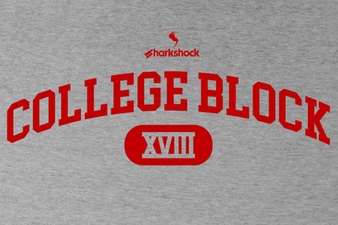 College Block Font – Bold Varsity Display Typeface for Sports & School Designs
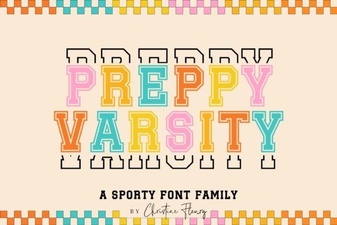 Preppy Varsity Font for Bold and Stylish Designs
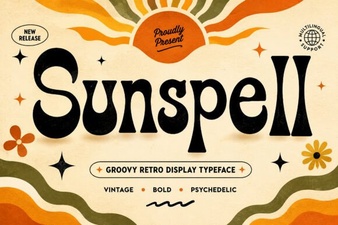 Sunspell Font: a Creative Display Typeface for Bold Designs
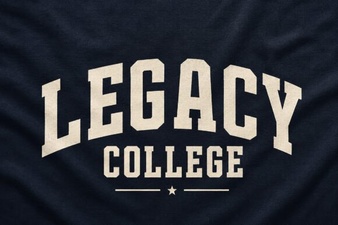 Legacy College Font: Classic Varsity Design for Modern Projects
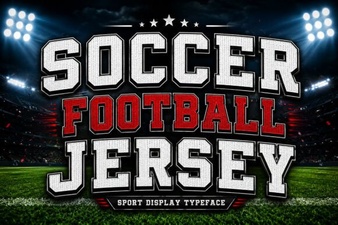 Bold Soccer Jersey Font Styles for Creative Design Projects
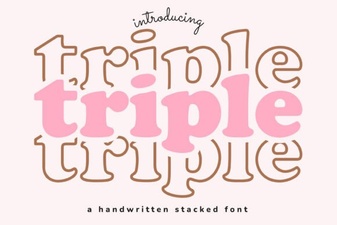 Triple Font: Bold Typefaces for Creative Design Projects